Skip to Content
PRIVATE STORAGE

Access to Pelican
Ørestad

Here you will find everything you need to know about access, parking, and loading and unloading at Pelican Ørestad. You need the Pelican app to gain access.

Pelican Smart Access

Once the move-in date on your room has started, you have access to the center from 05:30 – 22:00 every day – 365 days a year.

To access your storage unit for the first time, download the Pelican Smart Access app on your mobile phone. It’s important that you have mobile data enabled, as it requires internet to use the app and gain access.

Open Pelican Smart Access and press the + sign at the bottom.
Enter the code you received by SMS when booking your room.

Unlock

You will now see Pelican Ørestad in the app, which you need to click on.

Access points

In here you now have an overview of all the access points you have access to, as well as other relevant information about your storage unit.

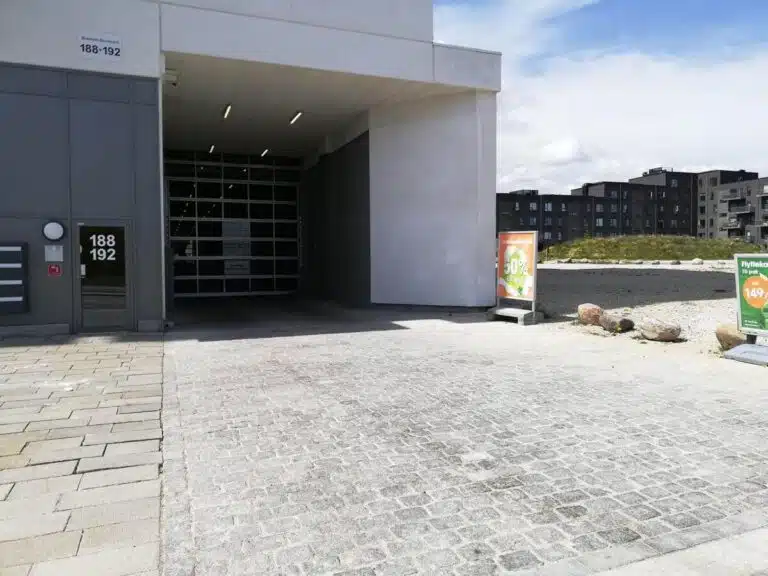
Access guide garage gate Ørestad

Open gate or door

To open access, find the number next to the gate/door you are standing at. Find the number in the app and swipe right. The access will now open and will close again automatically.

Unloading/loading area

Here you can easily drive your car, trailer or moving van under our loading and unloading area on the left-hand side. You’ll be closer to the entrance and can unload in dry weather.

You are allowed to park for a maximum of 1 hour in the regular parking lots on our premises.

The tunnel is one-way, so all parking must be on the left side. The exit is located at the end – here the entry procedure is the same to get out.

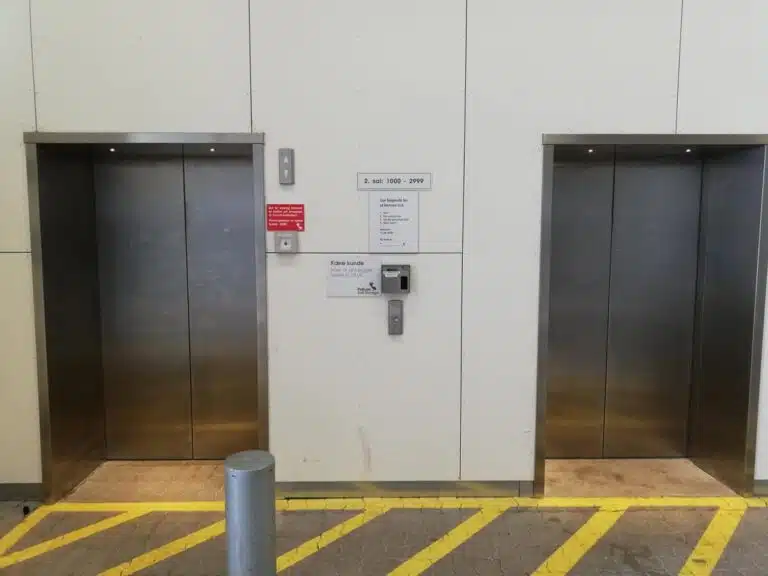
Access guide lift Ørestad

Floors and access to the lift

All storage units are located on the 2nd and 3rd floor.

To open the elevator, open the app and find the number 2. Swipe right and then press the round button between the elevators so that it lights up red.
Then the first available elevator will open and you can enter the elevator and press the floor your room is on.

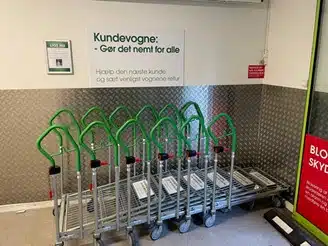
Customer trolleys

When you enter the loading hall, there are customer trolleys that you can use free of charge.
There is a limited number of trolleys, so please use a maximum of 2 per customer, so there are trolleys for everyone.

Help the next customer and please put the carts back when you’re done.

Floor plan Ørestad

Floor overview – find your unit

When you reach the floor where your room is, you’ll find an overview of the entire floor on the wall opposite the 2 elevators.

The red dot marks where you are standing and on the overview you need to find your room number and then find your way to it.

Start using your unit

Once you have found your unit, double-check the unit number. The correct unit is the one closest to the label with your unit number.

Open the door by sliding the metal rail to the right. Inside the unit, you will find a welcome box with an insurance-approved cylinder lock, the corresponding keys, and an information letter, which you should read and keep.

Your unit is now ready to use.

How to lock and open the unit

How to lock the unit

Close the door and slide the metal rail all the way to the left. Insert the cylinder lock into the hole, turn the key to the left, and remove it.

If the lock is difficult to insert, the two dots on the cylinder should face upwards and align.

Watch the video: How to lock the unit.

How to open the unit

Insert the key into the lock, turn to the right, and pull out the cylinder. Slide the metal rail all the way to the right and open the door.

Watch the video: How to open the unit.

Pelican building Ørestad

Are you experiencing problems?

If you experience problems with your access or the app, please contact the store or call +45 39 75 50 10

Store opening hours are Mon – Fri: 09.30 – 18.00 Sat: 10.00 – 14.00

  • Check that mobile data is turned on and that you are standing close to where you want to open
  • Allow location sharing for the app in your phone settings

For emergencies outside store opening hours, please call our call center on tel. +45 33 98 60 06.

Find your way to Pelican Ørestad

Practical information about access

  • Easy access to your storage unit
  • Access to storage units every day 05:30–22:00
  • Parking available at the centre
  • Great loading and unloading options
  • Customer trolleys available
  • Lift access to storage units on other floors
  • Personal help and advice during the centre’s opening hours

How to find Pelican Ørestad

Pelican Ørestad is located in the multi-purpose building Himmelbyen, which has shops on the ground floor and an indoor play area on the first floor.

Use the map to find the easiest route. If you have any questions about access or parking, you are always welcome to contact the centre

Back to top